OptiFine is one of the most downloaded Minecraft gaming mods of all time. It is a performance optimization and graphics enhancement mod for Minecraft Java Edition. It improves gameplay by increasing FPS, reducing lag, and providing advanced visual customization options.
Unlike many mods that add new content, OptiFine focuses on making Minecraft run smoother and look better.
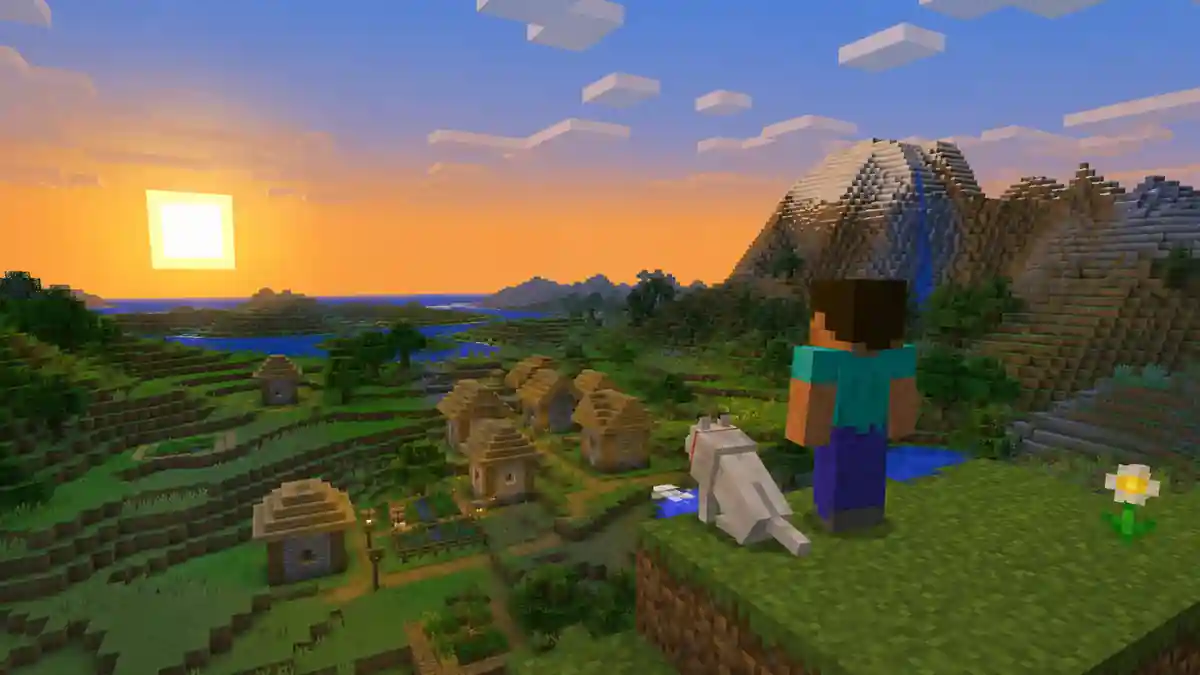
Key Features of OptiFine
- FPS optimization
- HD texture pack support
- Shader support
- Dynamic lighting
- Built-in zoom
- Improved chunk loading
- Advanced graphics settings
- Better render distance control
- Connected textures
These features make OptiFine one of the best Minecraft mods for both casual and advanced players.
Why Use OptiFine in Minecraft?
OptiFine offers benefits for nearly every type of Minecraft player.
Better Performance
Many players install OptiFine primarily for its FPS improvements.
Benefits include:
- Faster world loading
- Reduced lag spikes
- Improved rendering performance
- Smoother gameplay
- Better memory usage
Depending on your hardware, OptiFine can significantly increase frame rates and improve overall game responsiveness.
Improved Graphics
OptiFine unlocks graphical enhancements that aren’t available in the standard version of Minecraft.
These include:
- HD textures
- Better water effects
- Enhanced sky rendering
- Improved lighting
- Connected textures
- Anti-aliasing support
The result is a more immersive and visually appealing Minecraft world.
OptiFine Dynamic Lighting
One of the most popular OptiFine features is Dynamic Lighting.
Normally, Minecraft only generates light from placed light sources. With Dynamic Lighting enabled, light-emitting items continue to illuminate the environment while held.
Examples include:
- Torches
- Lanterns
- Glowstone
- Sea Lanterns
- Blaze Rods
This makes cave exploration easier and eliminates the need to constantly place torches.
OptiFine Zoom Feature
OptiFine includes a built-in zoom function that allows players to view distant objects without installing additional mods.
Benefits of Zoom
- Easier exploration
- Better navigation
- Improved building precision
- Enhanced screenshots
- Useful for survival gameplay
OptiFine Shader Support
One of the biggest reasons players install OptiFine is access to Minecraft shaders.
Shaders dramatically improve Minecraft’s visuals by adding realistic lighting and environmental effects.
Features Enabled by Shaders
- Dynamic shadows
- Water reflections
- Realistic sunlight
- Enhanced weather effects
- Volumetric clouds
- Improved lighting
Popular shader packs include:
BSL Shaders
Known for excellent visual quality and balanced performance.
Complementary Shaders
A highly customizable shader pack that works well with most systems.
SEUS Shaders
One of the most realistic Minecraft shader experiences available.
Sildur’s Vibrant Shaders
Offers colorful visuals while maintaining strong performance.
When paired with OptiFine, these shader packs can completely transform Minecraft’s appearance.
Best OptiFine Settings for FPS
If your goal is maximum performance, consider adjusting these settings.
Video Settings
- Graphics: Fast
- Smooth Lighting: Off or Minimum
- Clouds: Off
- Particles: Minimal
- Entity Shadows: Off
Performance Settings
Enable:
- Fast Render
- Smart Animations
- Smooth FPS
- Lazy Chunk Loading
Render Distance
Lower render distance if you experience lag.
Many players find 8–12 chunks provides an excellent balance between performance and visual quality.
How to Install OptiFine Mod in Minecraft
Installing OptiFine is quick and simple.
Step 1: Download OptiFine
Download the version that matches your Minecraft Java Edition version.
Step 2: Install Java
Ensure you have the latest Java version installed.
Step 3: Run the Installer
Open the OptiFine installation file and select Install.
Step 4: Launch Minecraft
Open the Minecraft Launcher and select the OptiFine profile.
Step 5: Configure Settings
Adjust graphics and performance settings according to your system specifications.
Best Resource Packs for OptiFine
OptiFine supports high-resolution resource packs that dramatically improve visual quality.
Faithful
A higher-resolution version of Minecraft’s default textures.
ModernArch
Ultra-realistic textures for advanced systems.
Patrix
Highly detailed textures and realistic environments.
PureBDCraft
A colorful comic-book-inspired visual style.
Combining OptiFine with resource packs and shaders creates an entirely new Minecraft experience.
Common OptiFine Issues
Low FPS with Shaders
Solution:
- Lower render distance
- Disable intensive shader settings
- Choose a lighter shader pack
OptiFine Not Appearing in Minecraft Launcher
Solution:
- Reinstall OptiFine
- Verify Java installation
- Restart the launcher
Game Crashes After Installation
Solution:
- Check version compatibility
- Remove conflicting mods
- Update graphics drivers
Most issues can be resolved with proper configuration and version matching.